2 Overview
FLIM Playground transforms raw FLIM data into single-cell numerical and categorical features, ensuring smooth integration with downstream analysis. All steps are seamlessly connected through interactive widgets, with built-in error checking and reporting to ensure correctness.
A high-level overview of the data extraction process is shown below.
2.1 Stages
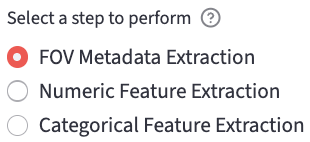
Users can configure the system once and apply it to future data. After configuration, users can extract features from raw data using the following steps, inspired by the categorization:

- FOV Metadata Organization (A): each experiment session consists of multiple fields of view (FOVs). This step helps users organize the metadata of the FOVs.
- Numerical feature extraction (B): it calibrates and then extracts single-cell numerical features.
- Calibration
- Per-channel feature extraction includes:
- Lifetime fitting features: fit an exponential decay curve to the measured decay and extract lifetime features per cell ROI.
- Phasor features: calculate the phasor features such as the phasor coordinates. It also provides phasor analysis.
- Morphology features: calculate morphology features based on the ROI mask.
- Texture features: calculate texture features based on the intensity image and the ROI mask.
- Categorical feature extraction (C): extract the categorical features such as the treatment, time point, etc. based on the FOV name.
- Users can then upload the extracted datasets to perform Data Analysis.
2.2 Input File Types
2.2.1 Decay
See decay types for more details.
- 2D decay:
.csv: a tabular data sheet with each row representing a cell and each column representing a time bin.
- 3D/4D decay: besides the spatial dimensions and the time dimension, the additional dimension in the 4D array represents acquisition channels.
.sdt: Becker & Hickl.ptu: PicoQuant
2.2.2 Mask
Because of the single-cell focus of FLIM Playground, cell-level masks are needed for each channel. Channels can share the same mask, or use different masks (when they use different masks, the mask ID for each cell should match across masks).
The cell-level mask can focus on different parts of the cell region, such as the whole cell, the cytoplasm, the nucleus, or the stain part.
For an example, see here.
.tiff/.tif: a 2D array with background labeled as0and each cell ROI region labeled as a unique positive integer. That integer will be part of the unique cell identifier.
2.2.3 IRF
IRF must be a 1D array. Currently, the supported formats are (extendable to more formats in the future):
.txt: it usesnp.loadtxtto parse a txt file. It returns a 1D array if the IRF numbers are in one row or in one column.
2.2.4 SPCImage t1
If the decay type is 3D/4D pixel-prefitted, users can provide pixel-prefitted lifetime feature files.
.asc: a 2D array in spatial dimensions outputted by SPCImage, with each (row, column) containing the value of the lifetime feature (e.g.t1: the first component’s lifetime) of that pixel.- Depending on the chosen number of lifetime components, the other pixel-prefitted feature files are included and their names are inferred from the
t1file, by replacingt1in the file name witht2,t3,a1[%], etc.
2.2.5 Fluorescence Lifetime Standard
If the fluorescence lifetime standard-based calibration is chosen, users are expected to provide the fluorescence lifetime standard file.
.tiff/.tif: a 3D array, with one dimension representing the time axis.
2.2.6 Intensity (2D)
If the channel’s imaging modality is Intensity-only, users are expected to provide a 2D intensity image in:
.tiff/.tif: a 2D array.
2.3 Limitations
- To simplify the workflow and due to the framework chosen, FLIM Playground does not support pixel-level fitting and fit-free analysis, and there are many other open-source tools that can do so (for a comprehensive list, see here). Instead, it does cell-level fitting and fit-free (phasor) feature extraction by summing up all the decays belonging to the same cell ROI to get one cell-level decay as a preprocessing step1. It also accepts prefitted pixel-level lifetime features from SPCImage and aggregates pixel-level lifetime features to cell-level lifetime features.