13 Categorical Feature Extraction
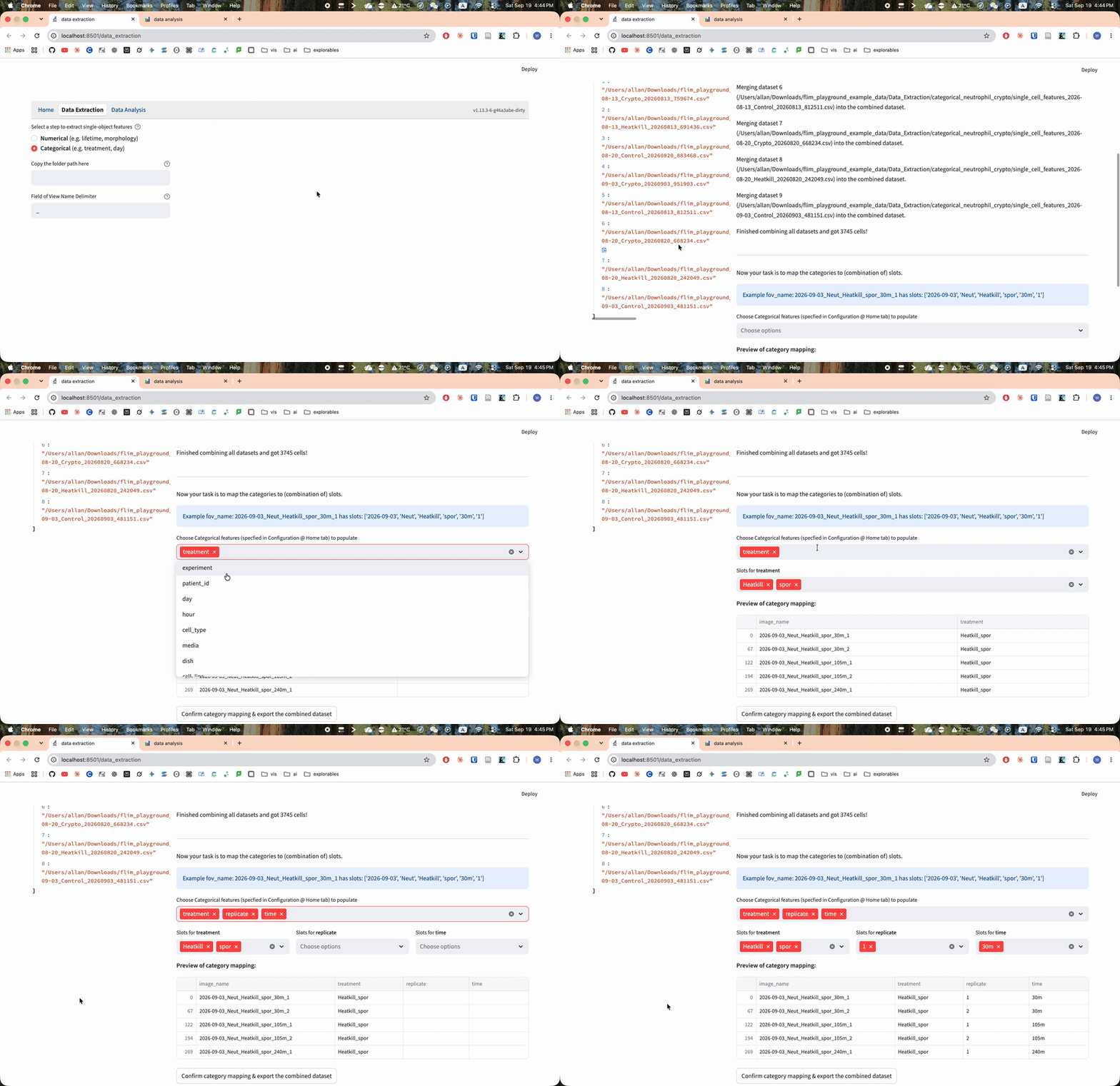
Open Data Extraction → Categorical in a local installation. Using the CSV tables saved by Numerical, FLIM Playground:
- merges the datasets into a single dataset
- assigns categorical features to each cell in the merged dataset
13.1 Merging Datasets
Enter the full path to the folder containing your saved numerical feature CSV files. The folder is scanned recursively for CSV files. Each usable dataset must contain the configured cell and FOV identifiers. Cell identifiers must be nonmissing and unique within the file and across the accepted files; a file containing overlapping identifiers is skipped.
The FOV identifier uniquely identifies a field of view and is assumed to contain all information necessary to extract the categorical features (e.g., treatment, time point, etc.), by including segments separated by a certain delimiter (e.g., _). Categorical features are assigned from individual segments or their combinations. Example: The FOV Panc1_Cyanide_dish1 denotes that it comes from the Panc1 cell line, under the Cyanide treatment, in the 1st dish.
Therefore, it checks if all field-of-view names include the same number of segments to determine the eligibility of categorical feature assignment.
Before merging, all-empty columns are removed. The remaining datasets are stacked using only their common columns, and the page reports columns discarded during merging.
13.2 Assigning Categorical Features
Available categories are the configured categorical names that are not already columns in the merged dataset.
Set Field of View Name Delimiter to the separator used in the FOV names. Leaving it empty treats each complete name as one slot. For each chosen category, select one or more slots; their values are joined in the selected order.
The live preview shows one row from each of the first five FOVs. Check the assigned values before exporting.
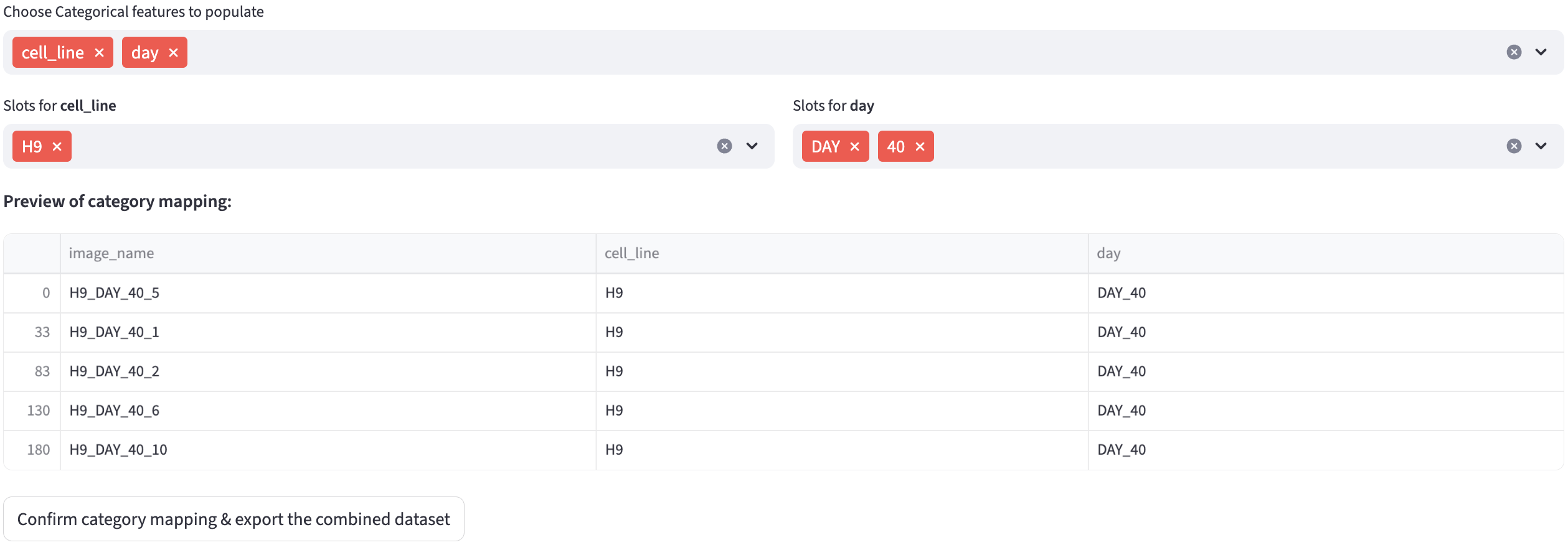
Clicking Confirm category mapping & export the combined dataset then writes the merged dataset with the categorical features as a timestamped CSV ({timestamp}_combined.csv) into the same folder as the input dataset. Note that this is a direct file write rather than a browser download, so the file is saved on the machine running FLIM Playground. The hosted app provides Data Analysis only, so upload the combined CSV there with Use a table from another source on; in a local app, upload extraction output with the checkbox off.